Writing code for fun and profit since 2000
Writing code for fun and profit since 2000
Own your publishing home base
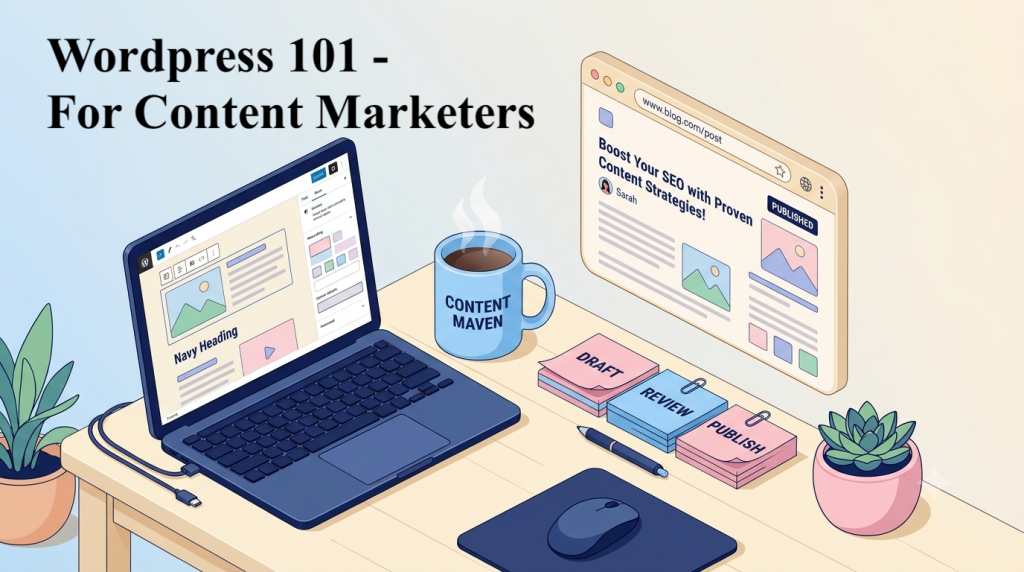
Social platforms rent you an audience. A WordPress site you own, on your own domain, with your own email list, is the one thing no algorithm can take away. This course takes you from an empty hosting account to a fast, secure, search-ready creator site that you can run, grow and earn from without hiring a developer.
You build one practice site from the first module and launch it in the last. Every module ends with a hands-on capstone, and every lesson ends with an exercise and a short quiz.
At a glance
- Level: beginner to confident self-publisher, no coding required
- Length: 8 modules + a launch capstone, 44 lessons of 10–25 minutes each
- You finish with: a live site with posts, email capture, backups, SEO, analytics and legal pages in place
Syllabus
M01 — Own Your Platform: Setup Foundations
Goal: A correctly configured, protected WordPress install before a single post exists.
- WordPress.org vs WordPress.com vs Substack, Medium and Ghost: ownership, cost, control and export
- Domains, DNS and choosing creator-friendly managed hosting
- Installing WordPress, HTTPS/SSL and a tour of the dashboard
- First-day settings: title, tagline, timezone, permalinks, discussion and reading
- Day-one safety net: off-site backups, two-factor login, strong passwords, users and roles
Module capstone: A configured practice site with permalinks set, backups scheduled and 2FA on.
M02 — Publishing with the Block Editor
Goal: Publish quickly and consistently with a repeatable workflow.
- Posts vs pages, and when to use each
- Blocks, the block toolbar, list view, keyboard shortcuts and slash commands
- Patterns and synced patterns for reusable CTAs, author boxes and disclaimers
- Categories vs tags: designing a content structure for your niche
- Drafts, revisions, scheduling and an editorial workflow
- Embedding YouTube videos, podcasts, social posts and newsletters
Module capstone: Three posts using a reusable CTA pattern, a clean category structure and one scheduled post.
M03 — Media That’s Fast and Accessible
Goal: Every image and video helps the page instead of slowing it down.
- The Media Library and the image sizes WordPress creates for you
- Compression and modern formats (WebP/AVIF); right-sizing before upload
- Alt text, captions, transcripts and file names: accessibility first, image search second
- Featured images and social share images (Open Graph)
- Video and audio: embed vs self-host
Module capstone: Audit and optimise 10 images, measure page weight before and after, and add alt text and a transcript.
M04 — Design Without Code: Themes & the Site Editor
Goal: A branded, mobile-friendly, accessible site without touching code.
- Block themes vs classic themes; choosing a lightweight, maintained theme
- The Site Editor: templates, template parts and global styles (fonts, colours)
- Navigation menus, header and footer, homepage vs blog index
- Key creator pages: About, Start Here, Contact, Work With Me / Media Kit
- Mobile and accessibility checks: contrast, heading order, link text, keyboard navigation
Module capstone: Brand the site with global styles and build About and Start Here pages that pass a contrast check.
M05 — SEO & AI Search for WordPress
Goal: Content that gets indexed, ranked and cited.
- How search engines and AI answer engines find, index and cite WordPress content
- Configuring one SEO plugin (Yoast, Rank Math or AIOSEO): titles, meta, sitemap, breadcrumbs
- Writing for search intent: headings, internal links, answer-first paragraphs
- Schema basics for creators: Article, Person, VideoObject, PodcastEpisode
- Connecting Google Search Console and Bing Webmaster Tools; submitting sitemaps
Module capstone: Configure an SEO plugin, verify Search Console and fully optimise one cornerstone post.
M06 — Grow & Monetize Your Audience
Goal: Turn readers into subscribers, and subscribers into income.
- Email capture: forms, lead magnets and newsletter integrations
- Lawful capture: privacy policy page, consent wording, double opt-in
- Comments, community and spam control
- Repurposing: one post into a newsletter, social posts and a video script; RSS feeds
- Monetization: ads, affiliate links, sponsorships, digital products and memberships
- A checklist for choosing plugins you can trust
Module capstone: An email opt-in with a lead magnet and privacy policy, plus a “Work With Me” page.
M07 — Protect & Speed Up Your Site
Goal: A site that stays up, stays fast and can survive anything.
- Updates for core, themes and plugins: auto-updates vs manual, testing on staging
- Backups in depth: retention, off-site storage and a tested restore
- Security hardening: login protection, least-privilege roles, removing unused plugins and themes
- Performance: caching, CDN, lazy loading and Core Web Vitals (LCP, INP, CLS)
- Owning your content: Tools → Export and moving to a new host
Module capstone: Run a test restore, prune plugins and reach “good” Core Web Vitals on the homepage.
M08 — Measure & Stay Legal
Goal: Know what is working and publish with legal confidence.
- Analytics options: GA4 via Site Kit, or privacy-friendly Plausible, Fathom or Jetpack Stats
- Reading the data: top content, traffic sources, search queries, email sign-ups
- Cookie consent where required (GDPR/ePrivacy), and how your analytics choice affects it
- Affiliate and sponsorship disclosures (FTC Endorsement Guides; ASA/CAP in the UK)
- Copyright, image licensing and disclosing AI-generated content
Module capstone: A monthly content dashboard, plus published disclosure and cookie pages.
M09 — Capstone: Launch Your Creator Site
Goal: Go live with every non-negotiable in place.
- Pre-launch checklist covering all 13 non-negotiables
- Content plan: 10 cornerstone topics mapped to categories
- Launch: go live, submit your sitemap, announce to your list and socials
- A 30-day maintenance routine for updates, backups and analytics
Module capstone: A live site with 5 published posts, email capture, backups, an SEO plugin, analytics and legal pages, graded against the non-negotiables rubric.
What this course doesn’t cover
Custom PHP, child-theme code and custom blocks; multisite, headless WordPress and server administration; paid ads management. Page builders, memberships, full WooCommerce stores and multilingual sites are mentioned only as optional next steps.
WordPress ships about three major releases a year, so screens and menu names change. Each lesson notes the WordPress version it was checked against and links to the official documentation.
Features
- Build one real creator site step by step, then launch it in the final module
- 13 non-negotiables every creator site needs, each taught, practised and checked
- A lean plugin stack: one plugin per job, free options first
- SEO for Google and AI answer engines (AI Overviews, ChatGPT, Perplexity)
- Email list building and monetization: affiliates, sponsors, digital products
- Backups, security, speed and Core Web Vitals without a developer
- Privacy, cookie and affiliate disclosure basics, with links to the official rules
- A module capstone in every module, plus an exercise and quiz in every lesson
Target audiences
- Bloggers who want a faster, more professional site
- Newsletter writers who want a home base beyond their email platform
- Podcasters and YouTubers who want a website for show notes, transcripts and sponsors
- Solo marketers and freelancers who publish content for their own business
- Anyone moving from Substack, Medium or social media to a platform they own
Requirements
- No coding or design experience needed
- A computer with a modern web browser
- A domain and WordPress hosting for the launch module (you practise on a free local or Playground site until then)
- A niche or topic you want to publish about
- About 2–3 hours a week to complete the hands-on exercises
Curriculum
- 9 Sections
- 53 Lessons
- 10 Weeks
- M01 — Own Your Platform: Setup Foundations11 ItemsA correctly configured, protected WordPress install before a single post exists.
- 1.11.1 Choose your platform: WordPress.org vs WordPress.com vs Substack, Medium and Ghost35 Minutes
- 1.21.1 Quiz: Choose your platform10 Minutes6 Questions
- 1.31.2 Domains, DNS and creator-friendly hosting43 Minutes
- 1.41.2 Quiz: Domains, DNS and creator-friendly hosting10 Minutes7 Questions
- 1.51.3 Install WordPress, turn on HTTPS and tour the dashboard40 Minutes
- 1.61.3 Quiz: Install WordPress, turn on HTTPS and tour the dashboard10 Minutes7 Questions
- 1.71.4 First-day settings: permalinks, reading and discussion30 Minutes
- 1.81.4 Quiz: First-day settings: permalinks, reading and discussion10 Minutes7 Questions
- 1.91.5 Your day-one safety net: backups, 2FA, passwords and user roles43 Minutes
- 1.101.5 Quiz: Your day-one safety net: backups, 2FA, passwords and user roles10 Minutes7 Questions
- 1.111.6 Module capstone: a configured practice site with permalinks set, backups scheduled and 2FA on60 Minutes
- M02 — Publishing with the Block Editor11 ItemsPublish quickly and consistently with a repeatable workflow.
- 2.12.1 Posts vs pages, and getting fast in the block editor35 Minutes
- 2.22.1 Quiz: Posts vs pages, and getting fast in the block editor10 Minutes7 Questions
- 2.32.2 Patterns and synced patterns for reusable content35 Minutes
- 2.42.2 Quiz: Patterns and synced patterns for reusable content10 Minutes7 Questions
- 2.52.3 Categories vs tags: design a content structure for your niche35 Minutes
- 2.62.3 Quiz: Categories vs tags: design a content structure for your niche10 Minutes7 Questions
- 2.72.4 Drafts, revisions, scheduling and an editorial workflow29 Minutes
- 2.82.4 Quiz: Drafts, revisions, scheduling and an editorial workflow10 Minutes7 Questions
- 2.92.5 Embeds: YouTube, podcasts, social posts and newsletters30 Minutes
- 2.102.5 Quiz: Embeds: YouTube, podcasts, social posts and newsletters10 Minutes7 Questions
- 2.112.6 Module capstone: three posts using a reusable CTA pattern, a clean category structure and one scheduled post75 Minutes
- M03 — Media That's Fast and Accessible11 ItemsEvery image and video helps the page instead of slowing it down.
- 3.13.1 The Media Library and the image sizes WordPress creates30 Minutes
- 3.23.1 Quiz: The Media Library and the image sizes WordPress creates10 Minutes7 Questions
- 3.33.2 Compress, convert and right-size: WebP, AVIF and image plugins35 Minutes
- 3.43.2 Quiz: Compress, convert and right-size: WebP, AVIF and image plugins10 Minutes7 Questions
- 3.53.3 Accessible media: alt text, captions, transcripts and file names35 Minutes
- 3.63.3 Quiz: Accessible media: alt text, captions, transcripts and file names10 Minutes7 Questions
- 3.73.4 Featured images and social share images (Open Graph)35 Minutes
- 3.83.4 Quiz: Featured images and social share images (Open Graph)10 Minutes7 Questions
- 3.93.5 Video and audio: embed vs self-host30 Minutes
- 3.103.5 Quiz: Video and audio: embed vs self-host10 Minutes7 Questions
- 3.113.6 Module capstone: audit and optimise 10 images; measure page weight before/after; add alt text and one transcript90 Minutes
- M04 — Design Without Code: Themes & the Site Editor11 ItemsA branded, mobile-friendly, accessible site without touching code.
- 4.14.1 Block themes vs classic themes: choosing a lightweight, maintained theme35 Minutes
- 4.24.1 Quiz: Block themes vs classic themes: choosing a lightweight, maintained theme10 Minutes7 Questions
- 4.34.2 The Site Editor: templates, template parts and global styles40 Minutes
- 4.44.2 Quiz: The Site Editor: templates, template parts and global styles10 Minutes7 Questions
- 4.54.3 Navigation, header and footer, homepage vs blog index33 Minutes
- 4.64.3 Quiz: Navigation, header and footer, homepage vs blog index10 Minutes7 Questions
- 4.74.4 Key creator pages: About, Start Here, Contact and Work With Me39 Minutes
- 4.84.4 Quiz: Key creator pages: About, Start Here, Contact and Work With Me10 Minutes7 Questions
- 4.94.5 Mobile-first and accessibility checks33 Minutes
- 4.104.5 Quiz: Mobile-first and accessibility checks10 Minutes7 Questions
- 4.114.6 Module capstone: brand the site with global styles; build About + Start Here pages that pass a contrast check100 Minutes
- M05 — SEO & AI Search for WordPress11 ItemsContent that gets indexed, ranked and cited.
- 5.15.1 How search engines and AI answer engines find, index and cite your content29 Minutes
- 5.25.1 Quiz: How search engines and AI answer engines find, index and cite your content10 Minutes7 Questions
- 5.35.2 Configure one SEO plugin: titles, meta, sitemap, breadcrumbs and redirects41 Minutes
- 5.45.2 Quiz: Configure one SEO plugin: titles, meta, sitemap, breadcrumbs and redirects10 Minutes7 Questions
- 5.55.3 Writing for search intent: headings, internal links and answer-first paragraphs39 Minutes
- 5.65.3 Quiz: Writing for search intent: headings, internal links and answer-first paragraphs10 Minutes7 Questions
- 5.75.4 Schema basics for creators33 Minutes
- 5.85.4 Quiz: Schema basics for creators10 Minutes7 Questions
- 5.95.5 Connect Google Search Console and Bing Webmaster Tools33 Minutes
- 5.105.5 Quiz: Connect Google Search Console and Bing Webmaster Tools10 Minutes7 Questions
- 5.115.6 Module capstone: configure an SEO plugin, verify Search Console, and fully optimise one cornerstone post110 Minutes
- M06 — Grow & Monetize Your Audience13 ItemsTurn readers into subscribers and subscribers into income.
- 6.16.1 Choose plugins you can trust: the evaluation checklist32 Minutes
- 6.26.1 Quiz: Choose plugins you can trust: the evaluation checklist10 Minutes7 Questions
- 6.36.2 Email capture: forms, lead magnets and newsletter integrations38 Minutes
- 6.46.2 Quiz: Email capture: forms, lead magnets and newsletter integrations10 Minutes7 Questions
- 6.56.3 Lawful capture: privacy policy, consent wording and double opt-in32 Minutes
- 6.66.3 Quiz: Lawful capture: privacy policy, consent wording and double opt-in10 Minutes7 Questions
- 6.76.4 Comments, community and spam control26 Minutes
- 6.86.4 Quiz: Comments, community and spam control10 Minutes7 Questions
- 6.96.5 Repurposing workflow: one post into newsletter, social and video37 Minutes
- 6.106.5 Quiz: Repurposing workflow: one post into newsletter, social and video10 Minutes7 Questions
- 6.116.6 Monetization models and selling one digital product38 Minutes
- 6.126.6 Quiz: Monetization models and selling one digital product10 Minutes7 Questions
- 6.136.7 Module capstone: email opt-in + lead magnet + privacy policy, and a “Work With Me” monetization page120 Minutes
- M07 — Protect & Speed Up Your Site11 ItemsA site that stays up, stays fast and can survive anything.
- 7.17.1 Updates: core, themes and plugins, auto vs manual, testing on staging37 Minutes
- 7.27.1 Quiz: Updates: core, themes and plugins, auto vs manual, testing on staging10 Minutes7 Questions
- 7.37.2 Backups in depth: retention, off-site storage and a tested restore44 Minutes
- 7.47.2 Quiz: Backups in depth: retention, off-site storage and a tested restore10 Minutes8 Questions
- 7.57.3 Security hardening: login protection, least privilege and pruning33 Minutes
- 7.67.3 Quiz: Security hardening: login protection, least privilege and pruning10 Minutes8 Questions
- 7.77.4 Performance: caching, CDN, lazy loading and Core Web Vitals43 Minutes
- 7.87.4 Quiz: Performance: caching, CDN, lazy loading and Core Web Vitals10 Minutes8 Questions
- 7.97.5 Own your content: export and moving to a new host35 Minutes
- 7.107.5 Quiz: Own your content: export and moving to a new host10 Minutes8 Questions
- 7.117.6 Module capstone: perform a test restore, prune plugins, and hit “good” Core Web Vitals on the homepage150 Minutes
- M08 — Measure & Stay Legal11 ItemsKnow what's working and publish with legal confidence.
- 8.18.1 Choose your analytics: GA4 via Site Kit or a privacy-friendly alternative34 Minutes
- 8.28.1 Quiz: Choose your analytics: GA4 via Site Kit or a privacy-friendly alternative10 Minutes8 Questions
- 8.38.2 Reading the data: top content, traffic sources, queries and sign-ups45 Minutes
- 8.48.2 Quiz: Reading the data: top content, traffic sources, queries and sign-ups10 Minutes8 Questions
- 8.58.3 Cookie consent where required35 Minutes
- 8.68.3 Quiz: Cookie consent where required10 Minutes8 Questions
- 8.78.4 Affiliate and sponsorship disclosures28 Minutes
- 8.88.4 Quiz: Affiliate and sponsorship disclosures10 Minutes8 Questions
- 8.98.5 Copyright, image licensing and AI-generated content35 Minutes
- 8.108.5 Quiz: Copyright, image licensing and AI-generated content10 Minutes8 Questions
- 8.118.6 Module capstone: build a monthly content dashboard and publish disclosure + cookie pages120 Minutes
- M09 — Capstone: Launch Your Creator Site7 ItemsGo live with every non-negotiable in place.
- 9.19.1 Pre-launch checklist: the 13 non-negotiables87 Minutes
- 9.29.1 Quiz: Pre-launch checklist: the 13 non-negotiables10 Minutes8 Questions
- 9.39.2 Content plan: 10 cornerstone topics mapped to categories43 Minutes
- 9.49.2 Quiz: Content plan: 10 cornerstone topics mapped to categories10 Minutes8 Questions
- 9.59.3 Launch day and your 30-day maintenance routine42 Minutes
- 9.69.3 Quiz: Launch day and your 30-day maintenance routine10 Minutes8 Questions
- 9.79.4 Final capstone: a live site with 5 published posts, email capture, backups, SEO plugin, analytics and legal pages — graded against the non-negotiables rubric60 Minutes
FAQs
Instructor

Napoleon is the Founder and Chief Architect at PutForShare a full-stack engineer with 15+ years of experience building Django/Python and React web applications, SaaS platforms, and AI-powered tools. Before launching PutForShare, he honed his craft at Yahoo India and AOL Online India, working on large-scale consumer products. Today, he leads a studio that turns ambitious ideas into production-ready software — from custom client platforms to internal ventures like PutForShare and 12026.store — blending deep engineering expertise, great in-depth attention to UI/UX with a builder's instinct for shipping fast and smart.