Writing code for fun and profit since 2000
Writing code for fun and profit since 2000
Build it, publish it, track it, improve it
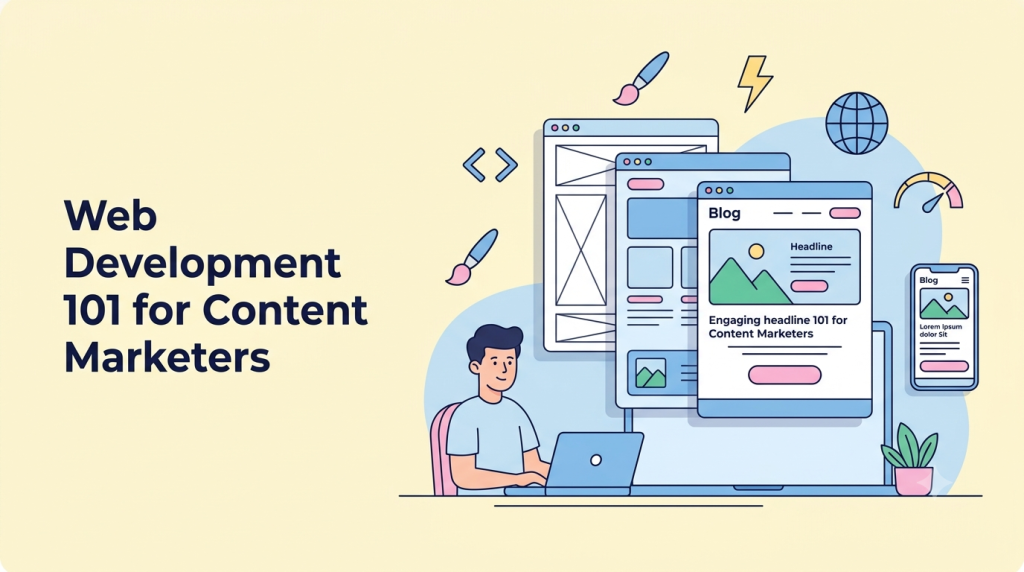
Most marketing work now lands on a web page: a launch page, a link-in-bio, a sign-up form, a campaign with UTM links. This course teaches you how those pages really work, so you can build, publish, track and improve a fast, accessible campaign page yourself, and talk to developers as an equal.
You build one launch page (a personal brand page or a product launch) from Module 2 to the final capstone. Modules 1–3 run entirely in your browser; local tools arrive in Module 4. Every lesson ends with an exercise and a short quiz, and every module ends with a hands-on capstone.
At a glance
- For: content creators, digital marketers, social and brand managers, and small business owners. No coding experience needed.
- Length: 8 modules, 36 lessons and 8 module capstones, plus a final “Launch Week” capstone. Each lesson is about 15–20 minutes of reading plus a hands-on exercise.
- Tools: free tiers only (browser DevTools, VS Code, GitHub Pages, Google Analytics 4, Google Tag Manager, Search Console).
- You finish with: a live, version-controlled launch page on your own domain with HTTPS, a working lead form, consent-aware tracking, Lighthouse 90+ and WCAG 2.2 AA checks.
- Next: WordPress 101 for Content Creators, then Modern SEO.
Syllabus
M01 — How the Web Works
Goal: A clear mental model of what happens between typing a URL and seeing a page.
- The Internet vs the Web
- URLs, Domains & DNS
- Hosting & How a Page Loads
- Static vs Dynamic, Code vs CMS vs No-Code
- Your First Look at DevTools
Module capstone: “How this site works”
M02 — HTML: The Structure of Content
Goal: Write clean, meaningful HTML for real marketing content.
- Anatomy of an HTML Page
- Text, Links, Images & Media
- Semantic HTML & Heading Structure
- Forms for Lead Capture
- Meta Tags & Social Previews
Module capstone: Launch-page content skeleton
M03 — CSS: Design, Brand & Layout
Goal: Turn the skeleton into an on-brand page that works on every screen.
- How CSS Works: Selectors, Cascade, Box Model
- Typography, Color & Brand Tokens
- Layout with Flexbox & Grid
- Responsive, Mobile-First Design
- Conversion-Focused UI Patterns
Module capstone: Styled, responsive launch page
M04 — Publish It: Tools, Hosting & Domains
Goal: Move from playground to a real, live site you control.
- Your Toolkit: VS Code, Files & Folders
- Git & GitHub Without Fear
- Deploy to Free Hosting
- Custom Domains, DNS Records & HTTPS
- Choosing How to Build: Code, CMS or No-Code
Module capstone: Live, versioned launch page
M05 — JavaScript for Marketers
Goal: Add interactivity to the launch page and understand (and debug) the scripts that marketing tools inject.
- What JavaScript Does (and Breaks)
- JS Basics: Variables, Functions, Events
- Interactive Components
- Forms That Work: Validation & Sending Data
Module capstone: Interactive launch page
M06 — Tracking, Analytics & Consent
Goal: Measure what matters on the launch page (visits by campaign, sign-ups as key events), legally and honestly.
- Tags, Pixels & UTMs
- Google Analytics 4 & Key Events
- Google Tag Manager
- Privacy, Cookies & Consent Around the World
Module capstone: Fully tracked launch page
M07 — Fast, Accessible & Search-Ready
Goal: Make the live launch page load fast on a mid-range phone, work for everyone, and be understood by search and AI engines, and prove it with before/after reports.
- Performance & Core Web Vitals
- Images, Fonts & Media Optimization
- Accessibility in Practice (WCAG 2.2)
- Technical SEO Foundations
Module capstone: Before/after: fast, accessible and search-ready
M08 — Advanced: AI, Automation & Scale
Goal: Work faster and scale beyond one page: use AI assistants without shipping their mistakes, send every lead to the right place automatically, reuse components across many pages, and launch a second-language version that search engines and visitors can find.
- Building with AI Assistants
- APIs, Webhooks & No-Code Automation
- Templates, Static Site Generators & Headless CMS
- Going Global: Multilingual & Multi-Region Sites
Module capstone: Automated leads and a second language
Final capstone — “Launch Week”
Write a one-page brief, launch your page with tracking, consent, quality checks and lead automation in place, run one week of real traffic, and report results against your target. Proficient on every rubric criterion, plus all module capstones, earns the certificate.
Not sure where to start?
A 15-question placement quiz before Module 1 tells you which of Modules 1–3 you can skip or skim.
Curriculum
- 10 Sections
- 46 Lessons
- 10 Weeks
- Start here2 ItemsTake the placement quiz to see which of Modules 1–3 you can skip or skim.
- M01 — How the Web Works11 ItemsA clear mental model of what happens between typing a URL and seeing a page.
- 2.11.1 The Internet vs the Web35 Minutes
- 2.21.1 Quiz: The Internet vs the Web10 Minutes7 Questions
- 2.31.2 URLs, Domains & DNS43 Minutes
- 2.41.2 Quiz: URLs, Domains & DNS10 Minutes7 Questions
- 2.51.3 Hosting & How a Page Loads43 Minutes
- 2.61.3 Quiz: Hosting & How a Page Loads10 Minutes7 Questions
- 2.71.4 Static vs Dynamic, Code vs CMS vs No-Code36 Minutes
- 2.81.4 Quiz: Static vs Dynamic, Code vs CMS vs No-Code10 Minutes7 Questions
- 2.91.5 Your First Look at DevTools45 Minutes
- 2.101.5 Quiz: Your First Look at DevTools10 Minutes7 Questions
- 2.111.6 Module capstone: “How this site works”60 Minutes
- M02 — HTML: The Structure of Content11 ItemsWrite clean, meaningful HTML for real marketing content.
- 3.12.1 Anatomy of an HTML Page41 Minutes
- 3.22.1 Quiz: Anatomy of an HTML Page10 Minutes7 Questions
- 3.32.2 Text, Links, Images & Media50 Minutes
- 3.42.2 Quiz: Text, Links, Images & Media10 Minutes7 Questions
- 3.52.3 Semantic HTML & Heading Structure42 Minutes
- 3.62.3 Quiz: Semantic HTML & Heading Structure10 Minutes7 Questions
- 3.72.4 Forms for Lead Capture48 Minutes
- 3.82.4 Quiz: Forms for Lead Capture10 Minutes7 Questions
- 3.92.5 Meta Tags & Social Previews41 Minutes
- 3.102.5 Quiz: Meta Tags & Social Previews10 Minutes7 Questions
- 3.112.6 Module capstone: Launch-page content skeleton90 Minutes
- M03 — CSS: Design, Brand & Layout11 ItemsTurn the skeleton into an on-brand page that works on every screen.
- 4.13.1 How CSS Works: Selectors, Cascade, Box Model46 Minutes
- 4.23.1 Quiz: How CSS Works: Selectors, Cascade, Box Model10 Minutes7 Questions
- 4.33.2 Typography, Color & Brand Tokens48 Minutes
- 4.43.2 Quiz: Typography, Color & Brand Tokens10 Minutes7 Questions
- 4.53.3 Layout with Flexbox & Grid52 Minutes
- 4.63.3 Quiz: Layout with Flexbox & Grid10 Minutes7 Questions
- 4.73.4 Responsive, Mobile-First Design47 Minutes
- 4.83.4 Quiz: Responsive, Mobile-First Design10 Minutes7 Questions
- 4.93.5 Conversion-Focused UI Patterns53 Minutes
- 4.103.5 Quiz: Conversion-Focused UI Patterns10 Minutes7 Questions
- 4.113.6 Module capstone: Styled, responsive launch page120 Minutes
- M04 — Publish It: Tools, Hosting & Domains11 ItemsMove from playground to a real, live site you control.
- 5.14.1 Your Toolkit: VS Code, Files & Folders47 Minutes
- 5.24.1 Quiz: Your Toolkit: VS Code, Files & Folders10 Minutes7 Questions
- 5.34.2 Git & GitHub Without Fear53 Minutes
- 5.44.2 Quiz: Git & GitHub Without Fear10 Minutes7 Questions
- 5.54.3 Deploy to Free Hosting53 Minutes
- 5.64.3 Quiz: Deploy to Free Hosting10 Minutes7 Questions
- 5.74.4 Custom Domains, DNS Records & HTTPS58 Minutes
- 5.84.4 Quiz: Custom Domains, DNS Records & HTTPS10 Minutes7 Questions
- 5.94.5 Choosing How to Build: Code, CMS or No-Code46 Minutes
- 5.104.5 Quiz: Choosing How to Build: Code, CMS or No-Code10 Minutes7 Questions
- 5.114.6 Module capstone: Live, versioned launch page180 Minutes
- M05 — JavaScript for Marketers9 ItemsAdd interactivity to the launch page and understand (and debug) the scripts that marketing tools inject.
- 6.15.1 What JavaScript Does (and Breaks)46 Minutes
- 6.25.1 Quiz: What JavaScript Does (and Breaks)10 Minutes7 Questions
- 6.35.2 JS Basics: Variables, Functions, Events60 Minutes
- 6.45.2 Quiz: JS Basics: Variables, Functions, Events10 Minutes7 Questions
- 6.55.3 Interactive Components72 Minutes
- 6.65.3 Quiz: Interactive Components10 Minutes7 Questions
- 6.75.4 Forms That Work: Validation & Sending Data67 Minutes
- 6.85.4 Quiz: Forms That Work: Validation & Sending Data10 Minutes7 Questions
- 6.95.5 Module capstone: Interactive launch page180 Minutes
- M06 — Tracking, Analytics & Consent9 ItemsMeasure what matters on the launch page (visits by campaign, sign-ups as key events), legally and honestly.
- 7.16.1 Tags, Pixels & UTMs57 Minutes
- 7.26.1 Quiz: Tags, Pixels & UTMs10 Minutes7 Questions
- 7.36.2 Google Analytics 4 & Key Events67 Minutes
- 7.46.2 Quiz: Google Analytics 4 & Key Events10 Minutes7 Questions
- 7.56.3 Google Tag Manager67 Minutes
- 7.66.3 Quiz: Google Tag Manager10 Minutes7 Questions
- 7.76.4 Privacy, Cookies & Consent Around the World75 Minutes
- 7.86.4 Quiz: Privacy, Cookies & Consent Around the World10 Minutes7 Questions
- 7.96.5 Module capstone: Fully tracked launch page180 Minutes
- M07 — Fast, Accessible & Search-Ready9 ItemsMake the live launch page load fast on a mid-range phone, work for everyone, and be understood by search and AI engines, and prove it with before/after reports.
- 8.17.1 Performance & Core Web Vitals65 Minutes
- 8.27.1 Quiz: Performance & Core Web Vitals10 Minutes7 Questions
- 8.37.2 Images, Fonts & Media Optimization65 Minutes
- 8.47.2 Quiz: Images, Fonts & Media Optimization10 Minutes7 Questions
- 8.57.3 Accessibility in Practice (WCAG 2.2)70 Minutes
- 8.67.3 Quiz: Accessibility in Practice (WCAG 2.2)10 Minutes7 Questions
- 8.77.4 Technical SEO Foundations65 Minutes
- 8.87.4 Quiz: Technical SEO Foundations10 Minutes7 Questions
- 8.97.5 Module capstone: Before/after: fast, accessible and search-ready180 Minutes
- M08 — Advanced: AI, Automation & Scale9 ItemsWork faster and scale beyond one page: use AI assistants without shipping their mistakes, send every lead to the right place automatically, reuse components across many pages, and launch a second-language version that search engines and visitors can find.
- 9.18.1 Building with AI Assistants68 Minutes
- 9.28.1 Quiz: Building with AI Assistants10 Minutes7 Questions
- 9.38.2 APIs, Webhooks & No-Code Automation75 Minutes
- 9.48.2 Quiz: APIs, Webhooks & No-Code Automation10 Minutes7 Questions
- 9.58.3 Templates, Static Site Generators & Headless CMS73 Minutes
- 9.68.3 Quiz: Templates, Static Site Generators & Headless CMS10 Minutes7 Questions
- 9.78.4 Going Global: Multilingual & Multi-Region Sites69 Minutes
- 9.88.4 Quiz: Going Global: Multilingual & Multi-Region Sites10 Minutes7 Questions
- 9.98.5 Module capstone: Automated leads and a second language240 Minutes
- Final capstone — Launch Week1 ItemLaunch your page for real, run one week of traffic and report the results against your target.
Instructor

Napoleon is the Founder and Chief Architect at PutForShare a full-stack engineer with 15+ years of experience building Django/Python and React web applications, SaaS platforms, and AI-powered tools. Before launching PutForShare, he honed his craft at Yahoo India and AOL Online India, working on large-scale consumer products. Today, he leads a studio that turns ambitious ideas into production-ready software — from custom client platforms to internal ventures like PutForShare and 12026.store — blending deep engineering expertise, great in-depth attention to UI/UX with a builder's instinct for shipping fast and smart.